


Built for the pharmacy, not adapted to it
The five tasks that make or break a pharmacy ERP, in real screens with sample data.
Pharmacy counter
Used by the cashier
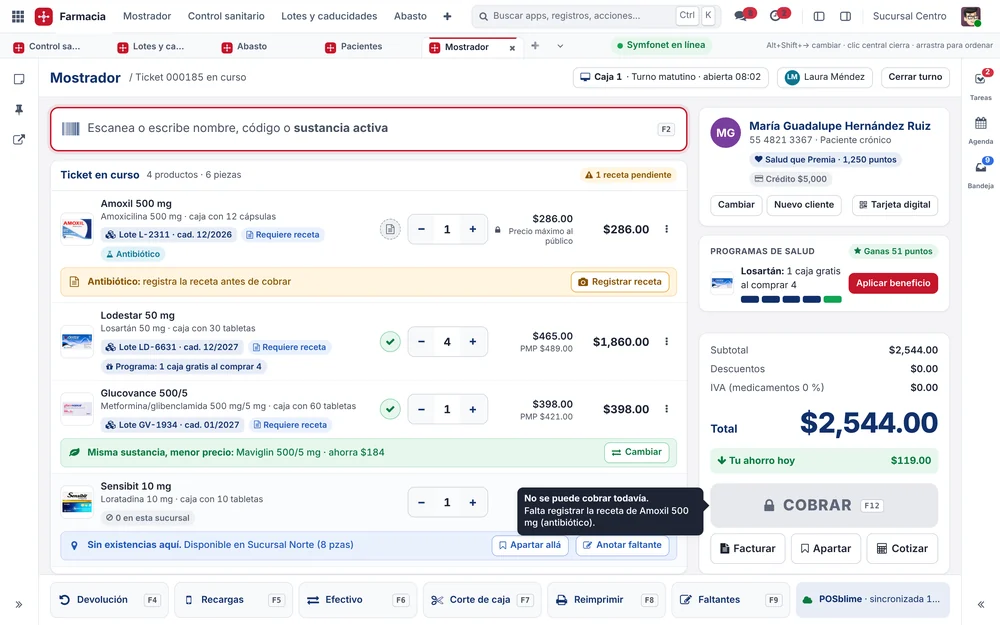
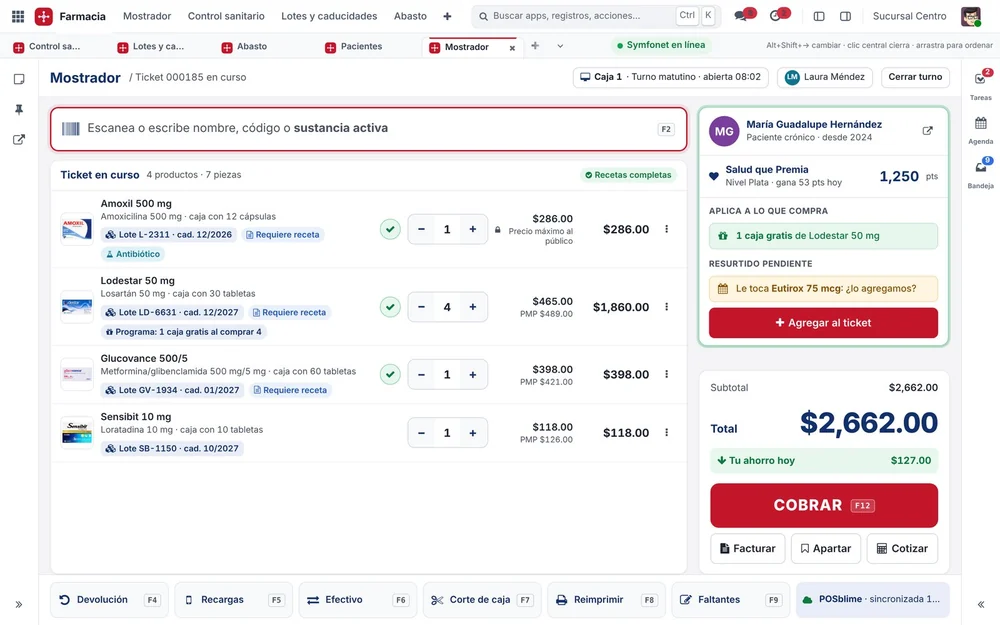
The register knows its medicines.
 12345
- The antibiotic prescription, before payment.
- Maximum retail price, enforced.
- Same active ingredient, lower price.
- Out of stock: hold it at another branch.
- Salud que Premia loyalty, benefit ready.
And next
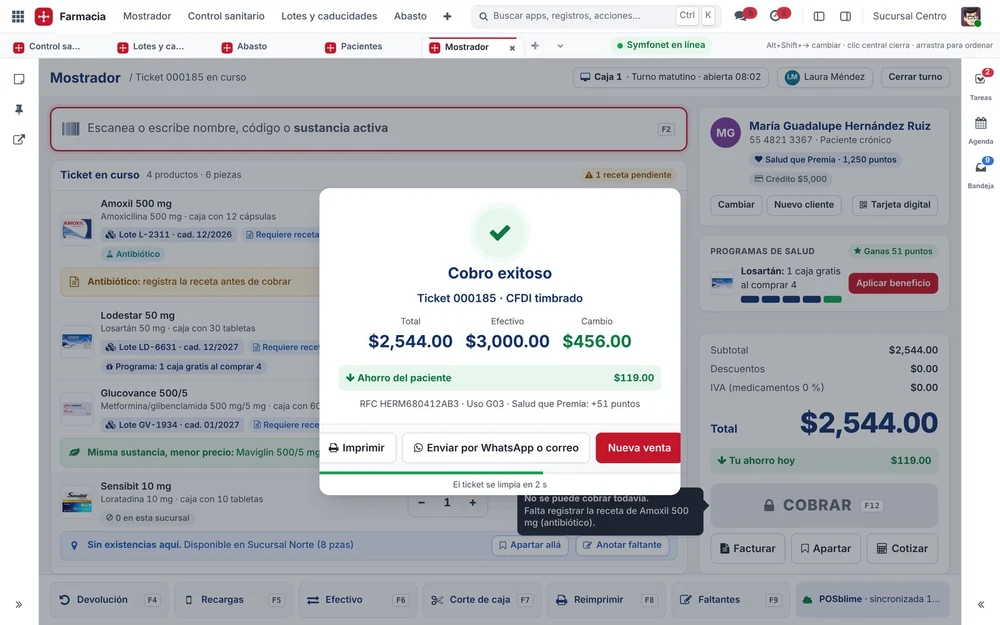
Paid, with the CFDI e-invoice (Mexico) stamped and the receipt sent by WhatsApp.
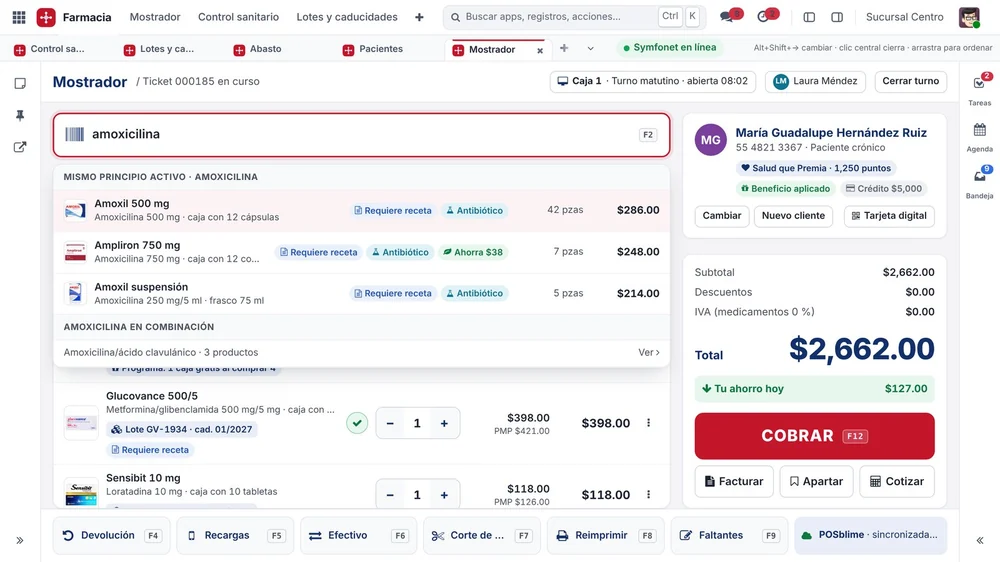
Touchscreen with search by active ingredient.

Health compliance
Used by the health compliance officer
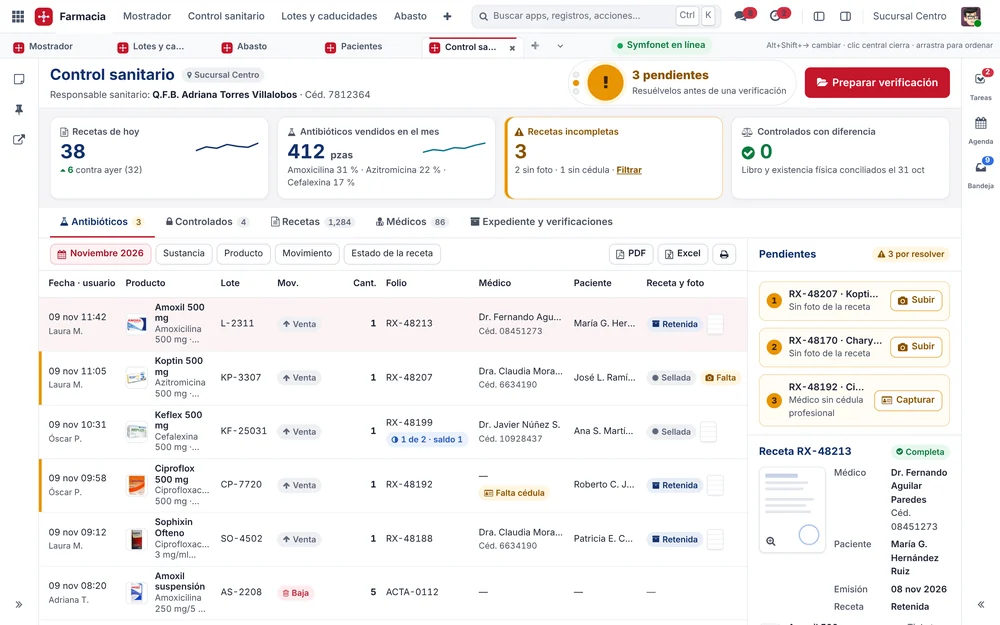
Ready for a health inspection in three seconds.
 12345
- Compliance traffic light and open items.
- Today's and this month's indicators.
- Antibiotics with doctor, license number and prescription.
- Open items resolved right there.
- Export to PDF and Excel.
And next
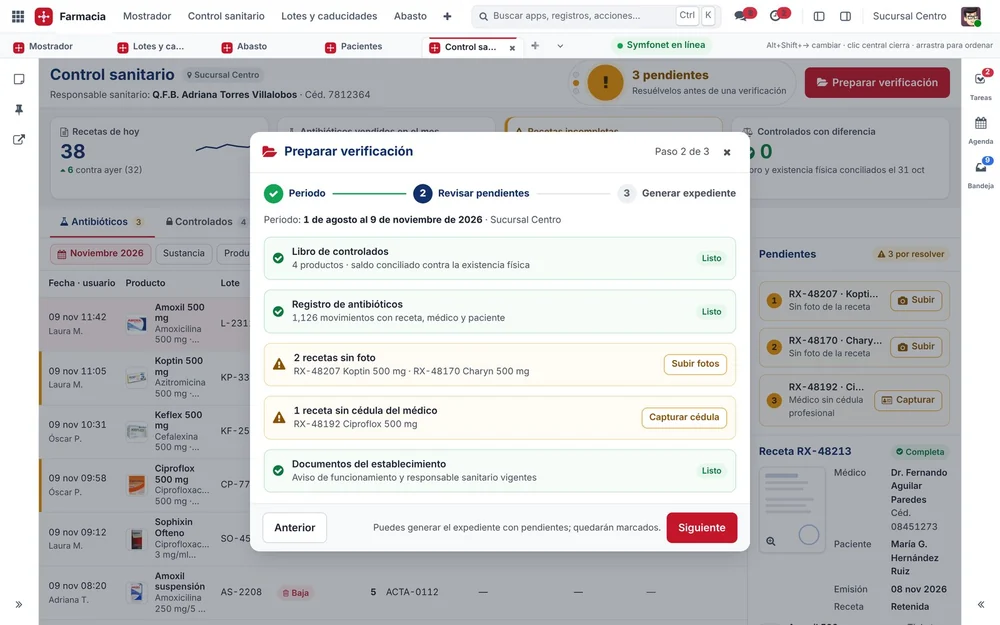
The assistant builds the inspection file.
Related areas
Lots and expiration dates
Used by the warehouse manager
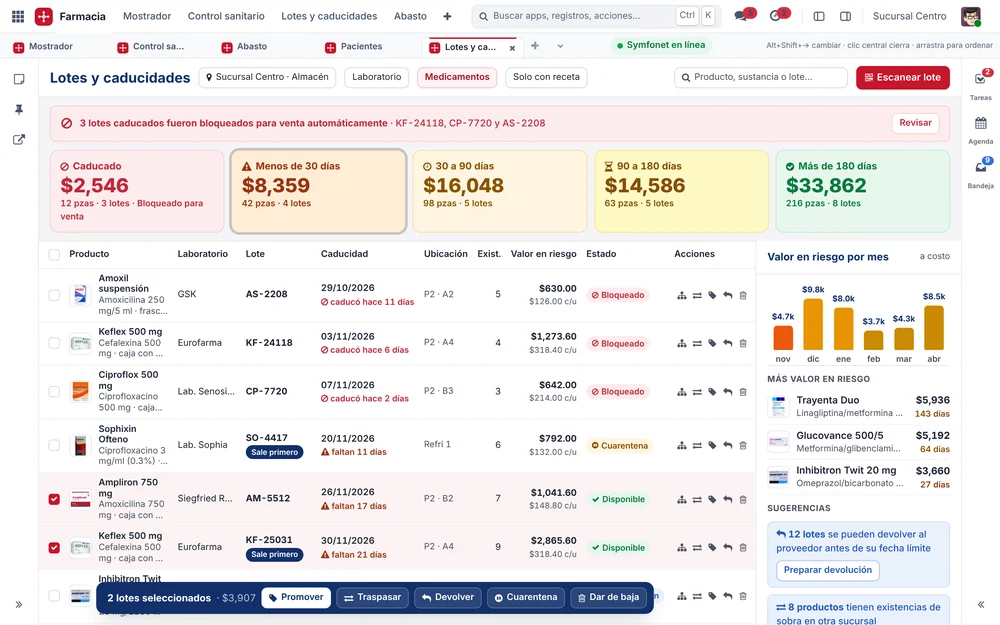
How much money is expiring, and what to do about it.
 12345
- Value at risk by window.
- Expired lots, blocked automatically.
- FEFO: whatever expires soonest goes first.
- Bulk actions.
- Return or move it in time.
And next
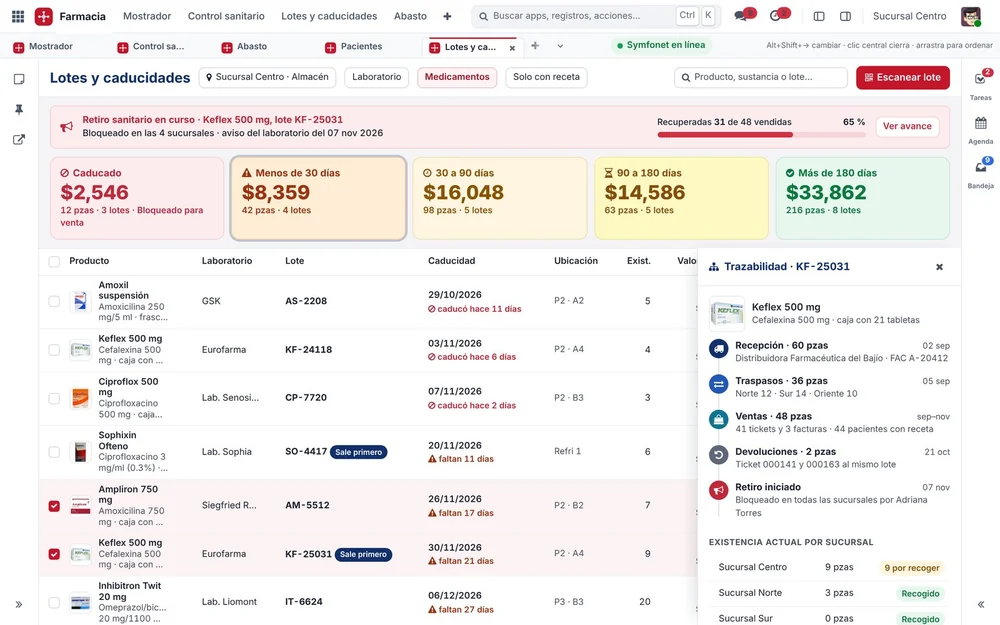
Health recall with the lot at every branch.
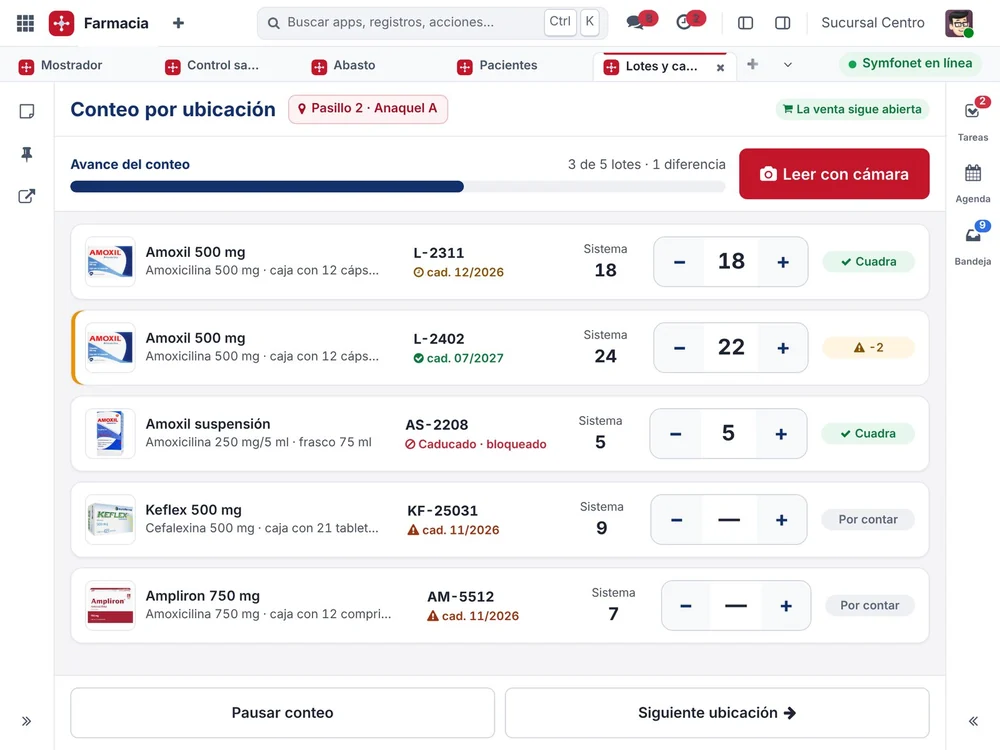
Count on a tablet, while sales stay open.

Restocking from wholesalers
Used by the buyer
The best cost for every product, in one order.
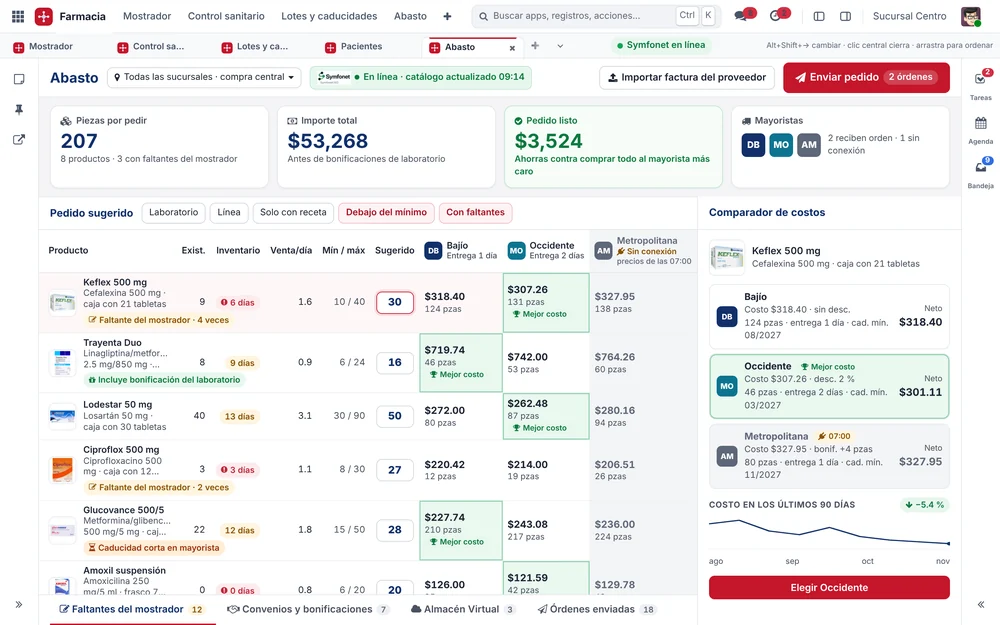 12345
- Suggested order with min and max levels.
- The best cost, highlighted.
- Counter shortages and lab bonuses.
- Offline wholesaler, with its last prices.
- Cost comparison with history.
And next
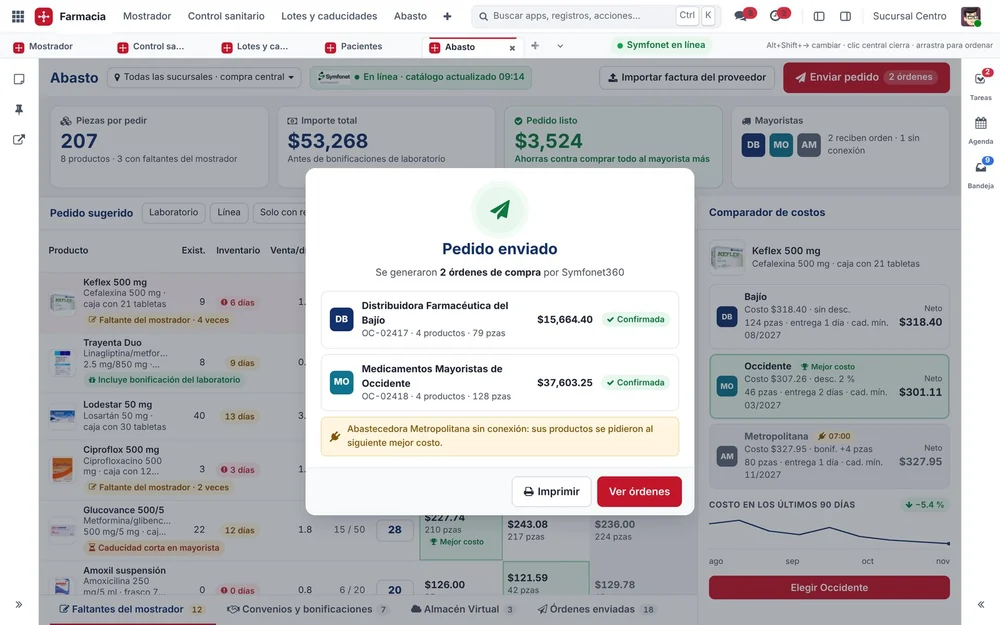
One order per wholesaler, sent through Symfonet360.

Patients and health programs
Used by counter staff and managers
Chronic patients come back on time.
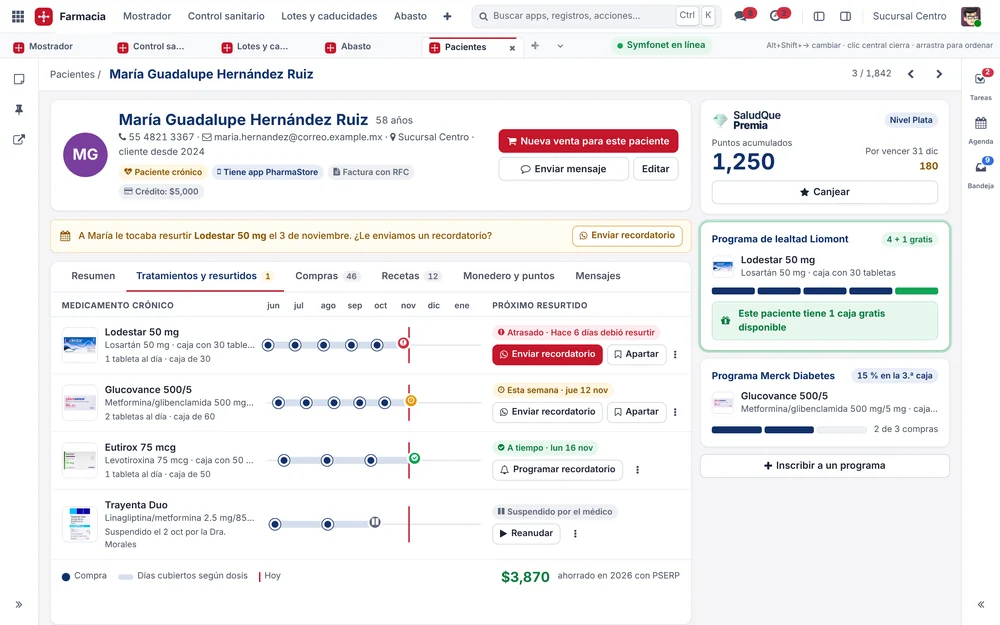 12345
- Refills by medicine.
- WhatsApp reminder and hold.
- Points and tier in Salud que Premia.
- Programs with the benefit ready.
- What the patient saved this year.
And next
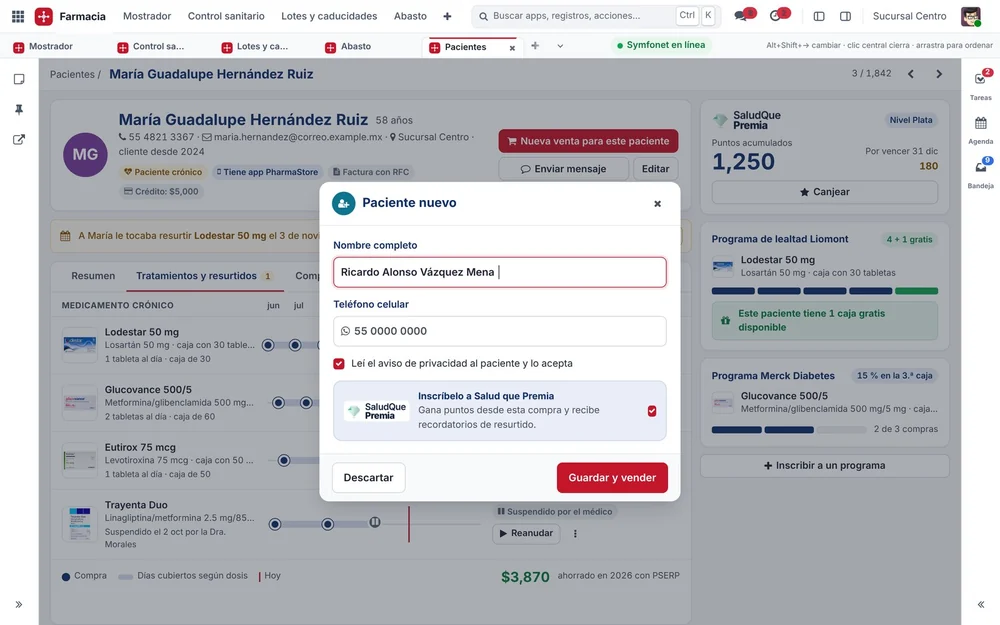
A new patient in three fields.
Compact view beside the register.
Related areas

We'll show you these screens with your operation
Tell us how your pharmacy works and we'll walk you through each task with your own case.